How RiftSurge Works
From setup to insights—here's how we help your team improve
Getting Started
RiftSurge is designed to be simple to set up but powerful in practice. The entire process from creating your team to receiving AI insights takes just a few minutes, and then the platform works automatically in the background.
Here's how it works from start to finish:
Step 1: Create Your Team
The first step is creating your team profile. You'll choose a team name, set your region, and configure basic settings. This takes less than a minute, and you can customize everything later.
- 1. Sign up for a free RiftSurge account (no credit card required)
- 2. Create your team and invite members via Discord or email
- 3. Connect your Riot Games account to enable automatic data sync
Once your team is set up, you can start adding players to your roster. Each player connects their Riot account, and RiftSurge automatically pulls their match history and statistics.
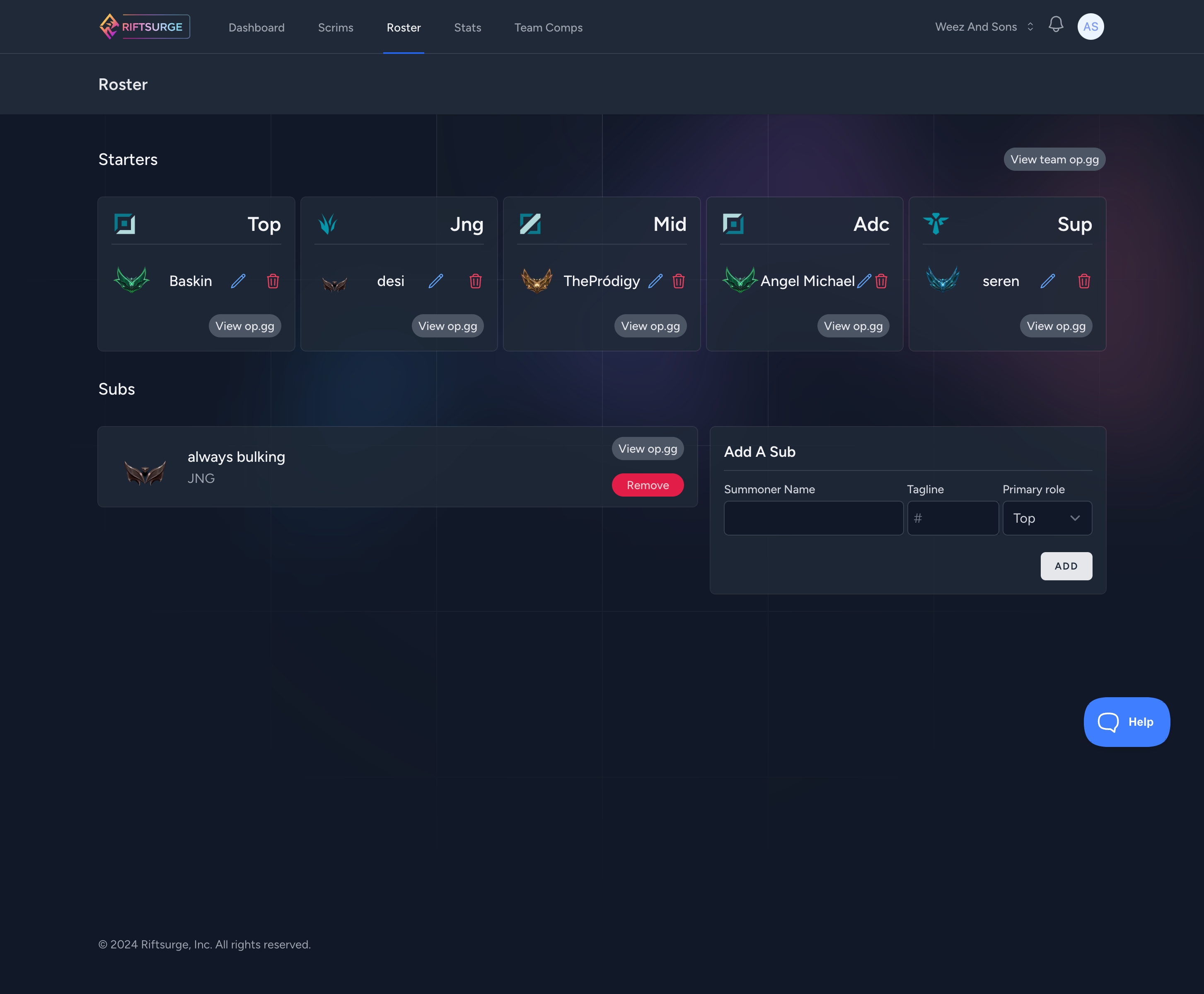
Your roster stays organized with roles, statuses, and quick access to player details.
Step 2: Automatic Game Tracking
This is where RiftSurge really shines. Once your team members are connected, we automatically track every game they play—scrims, Clash tournaments, Flex queue, and more. No manual entry required.
How It Works
- • RiftSurge monitors Riot's API for new games involving your team members
- • When a scrim or practice game is detected, it's automatically added to your team's history
- • Game data, statistics, and timeline information are synced in real-time
- • You can also manually add games from matches played outside the platform
This automation means you can focus entirely on playing and improving, while RiftSurge handles all the data collection and organization behind the scenes.
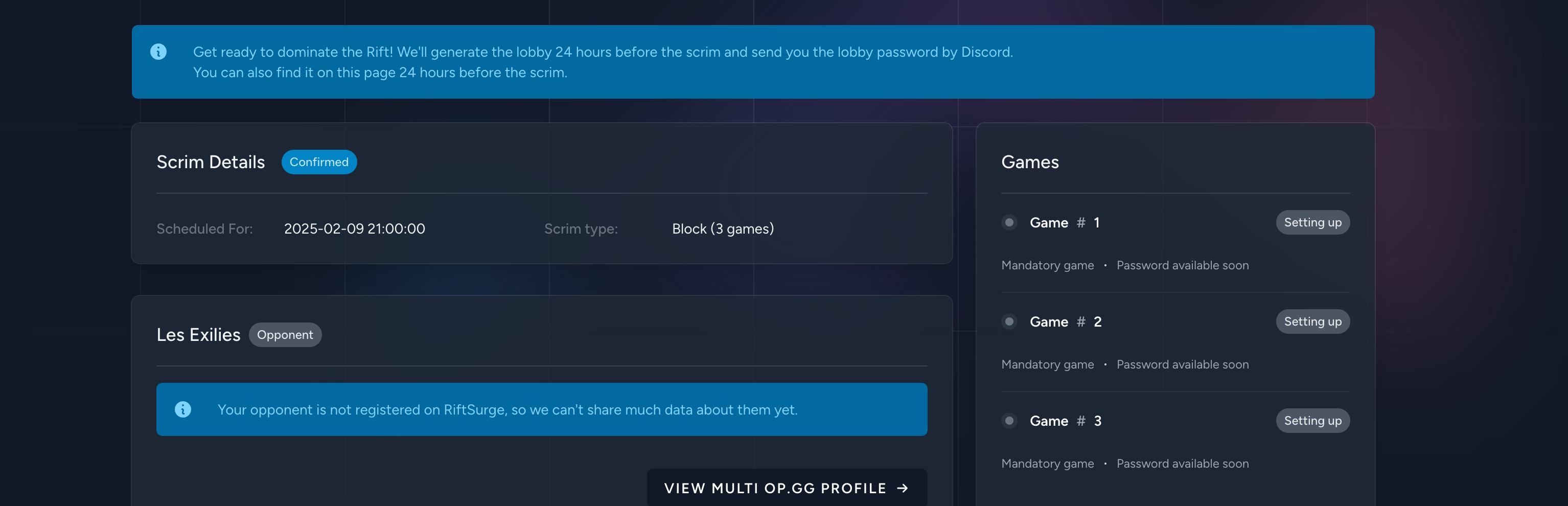
Stay on top of every practice block with live status updates and opponent details.
Step 3: Comprehensive Analytics
As games are tracked, RiftSurge builds a comprehensive picture of your team's performance. You get access to detailed statistics that go far beyond what traditional stat trackers provide.
Player Statistics
Individual performance metrics, champion pools, role-specific stats, and improvement trends over time.
Team Metrics
Team-wide statistics, composition performance, objective control rates, and win condition analysis.
Game Analysis
Detailed breakdowns of each game with timeline visualization, key events, and performance insights.
Trend Tracking
See how your team improves over time with visual progress tracking and improvement metrics.
All of this data is presented in an intuitive dashboard that makes it easy to understand your team's strengths and areas for improvement.
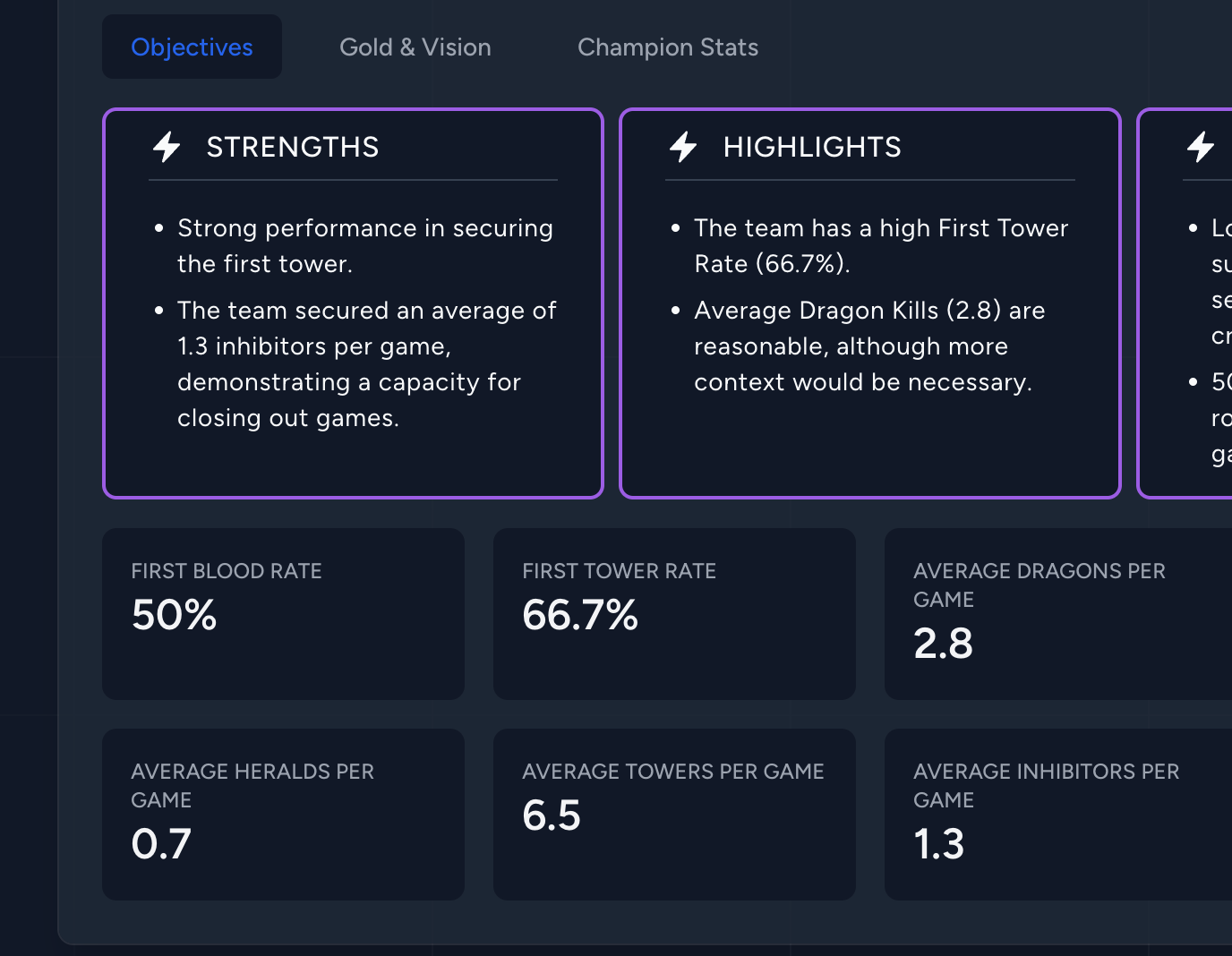
Understand trends across objectives, drafts, and player performance in one view.
Step 4: AI-Powered Insights
Here's where RiftSurge truly sets itself apart. Our AI analyzes your team's data and provides actionable insights that help you make better decisions.
Daily & Weekly Insights
Get personalized analysis of your recent games, highlighting key wins, mistakes, and improvement opportunities. Available as written insights or AI-generated podcasts.
Composition Recommendations
Discover new team compositions based on your team's champion pools and playstyle. Get win rate predictions and synergy analysis.
Strategic Recommendations
Receive suggestions for improving your team's strategy, from draft priorities to in-game decision making based on your performance patterns.
The AI learns from your team's specific playstyle and provides recommendations tailored to your strengths and weaknesses. It's like having a dedicated analyst working for your team 24/7.
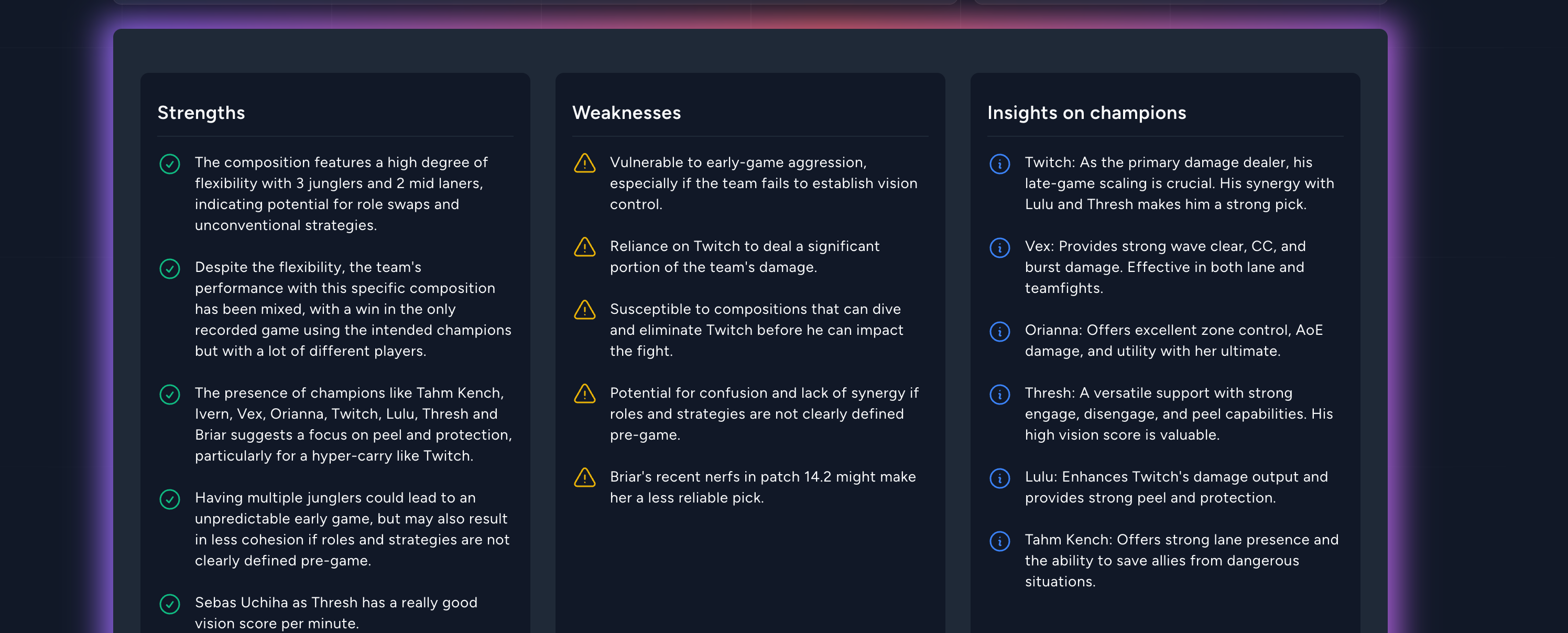
Actionable insights highlight what to focus on next practice.
Step 5: Team Management Tools
Beyond analytics, RiftSurge provides essential tools for managing your competitive team:
-
Scrim Finder: Discover and schedule practice games with other teams. Browse available scrims or post your own.
-
Composition Builder: Create and save team compositions, track their win rates, and build a playbook of strategies.
-
Draft Tool: Practice your draft phase with our interactive draft simulator, perfect for preparing for tournaments.
-
Discord Integration: Keep your team informed with automatic notifications for scrims, game results, and insights.
All of these tools work together seamlessly, creating a complete ecosystem for competitive team management.
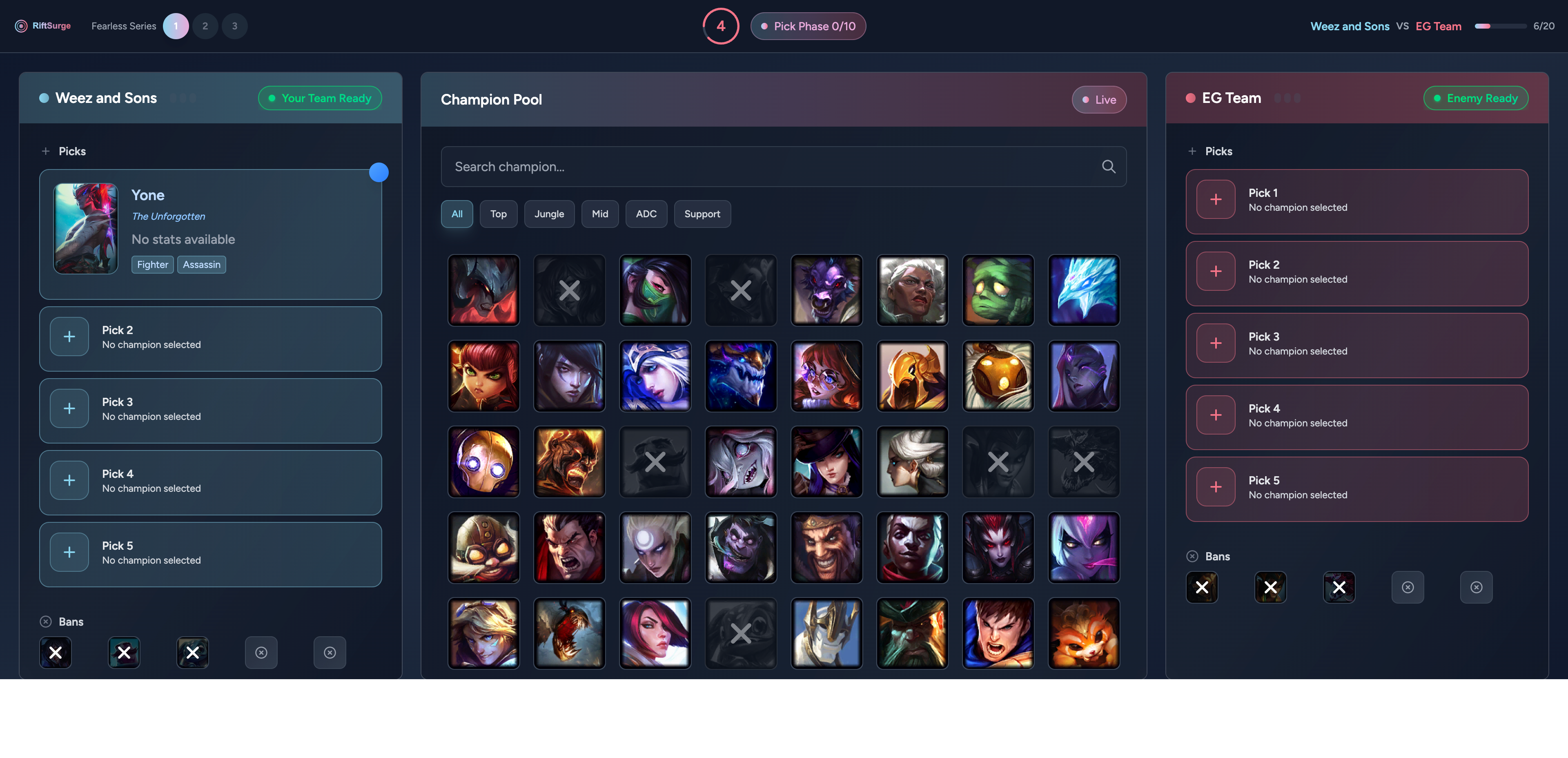
Practice drafts, save compositions, and keep your playbook ready for match day.
The Result: Continuous Improvement
When you use RiftSurge consistently, you're not just tracking stats—you're building a comprehensive understanding of your team's performance and systematically improving over time.
Teams that use RiftSurge report:
- • Better understanding of their strengths and weaknesses
- • More strategic approach to drafting and team compositions
- • Improved coordination through data-driven insights
- • Faster improvement through targeted practice recommendations
The platform grows with your team. As you play more games and generate more data, the insights become more accurate and personalized. It's a tool that gets better the more you use it.
View our Getting Started guide for step-by-step instructions